
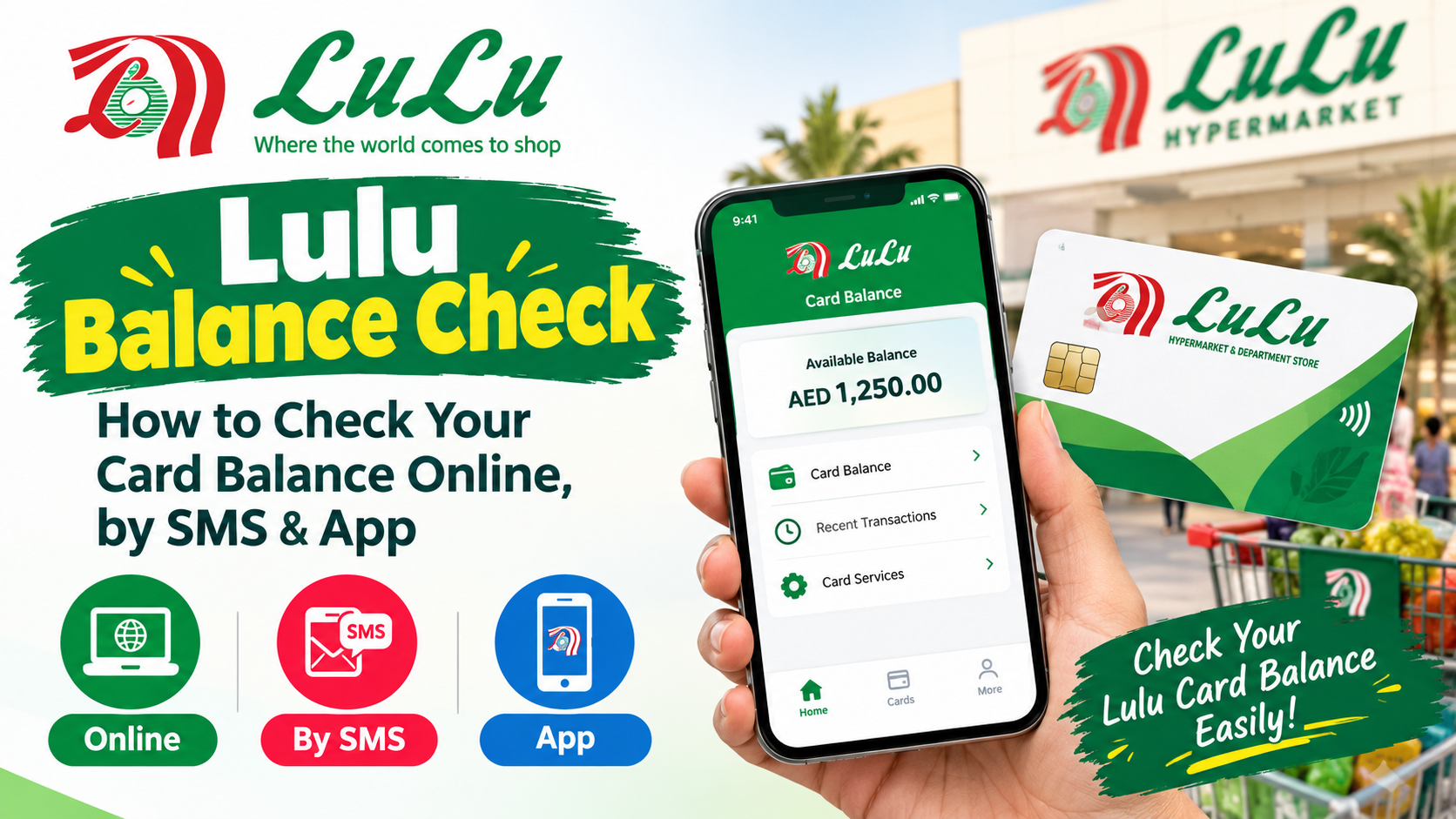
Checking your card balance before making a purchase, withdrawing cash, or waiting for your salary credit can make everyday money management much easier. For people using Lulu financial services in the UAE, the Lulu balance check process depends on the type of card they have.
A Lulu Exchange salary card, My Pay My Card, Lulu Money card, travel card, and Lulu gift card may not use exactly the same balance enquiry method. This is why identifying the card first is important.
For Lulu salary-card users, commonly available options include the Lulu Money app, SMS, phone support, and ATM-based balance enquiries. Current online information also shows that the Lulu Money app provides access to supported cards and their available balances.
This guide explains the different ways to check a Lulu balance, what information you may need, how to troubleshoot common problems, and how to keep your card details secure.
What Is a Lulu Balance Check?
A Lulu balance check is simply the process of finding out how much money is currently available on a Lulu-related card or account.
However, the meaning of “Lulu balance” can vary depending on the product.
For example, a salary-card user may want to know how much of their salary is available after a recent payment. A travel-card user may want to check the balance remaining in a particular currency. A gift-card holder may want to know how much value is left before shopping.
Because these products work differently, there is no single balance-check process that applies to every Lulu product.
The first thing to determine is the type of card you are using.
Which Lulu Card Do You Have?
Before starting a balance enquiry, identify your card.
Common Lulu-related products that people may search for include:
- Lulu Exchange salary card
- My Pay My Card
- Lulu Money card
- Lulu Money travel card
- Prepaid cards
- Lulu gift cards
- Lulu shopping or rewards accounts
The method used for a salary card may not work for a gift card.
This distinction is particularly important because many searches for “Lulu balance check” actually refer to the Lulu Exchange salary card used for receiving wages through the UAE’s payroll system. Current search results heavily focus on My Pay My Card and Lulu Money balance enquiries.
Once you know your card type, the correct balance-checking method becomes much easier to identify.
How to Check Lulu Salary Card Balance Using the Lulu Money App
For supported Lulu salary-card users, the Lulu Money app is one of the most convenient ways to view card information.
The current Lulu balance-check process through the app generally involves signing in with the mobile number associated with the account and opening the card section.
A typical process is:
- Open the official Lulu Money app.
- Sign in using your registered mobile number.
- Complete the required OTP or verification process.
- Open the My Cards or relevant card section.
- Select your Lulu salary card.
- Review the available balance and recent transactions.
The exact screen names can change as applications are updated, so follow the options currently displayed inside the official app.
Current guides based on Lulu Money’s card functionality describe the My Cards area as the place where supported salary-card users can view their available balance and transaction information.
Why Use the Lulu Money App for a Balance Check?
The app can be useful because it provides more information than a simple balance figure.
Depending on the card and account, users may be able to review transaction activity and manage certain card functions from the same interface.
This means you can check whether your salary has been credited, look at recent spending, and investigate a balance that seems different from what you expected.
It can also be more convenient than visiting a branch when you only need a quick balance enquiry.
However, always download and access the application through an official app store or Lulu Money channel. Avoid unofficial applications or websites asking for your card PIN or OTP.
How to Check Lulu Balance by SMS
SMS can be useful when you do not want to use an app or have limited internet access.
For Lulu Exchange My Pay My Card users, current published balance-check instructions commonly identify 51199 as the SMS short code and use a format containing the card number.
A commonly published format is:
BAL [Your Card Number]
The message is then sent to 51199 from the registered mobile number.
Because SMS services and instructions can change, verify the current format through an official Lulu channel before sending card information.
If the service does not respond, do not repeatedly send your card details to random numbers found on blogs or social media. Check the official Lulu Money or Lulu Exchange information instead.
What If the Lulu SMS Balance Check Does Not Work?
There are several reasons an SMS balance enquiry might fail.
Your mobile number may not be registered correctly with the card.
The SMS format may have changed.
Your card may not be active.
There could also be a temporary service issue.
Start by checking whether you are sending the message from the mobile number registered with your Lulu card.
If the issue continues, use the Lulu Money app or another official balance-check channel.
Do not give your OTP, PIN, or complete card credentials to anyone claiming they can check the balance for you.
How to Check Lulu Balance at an ATM
An ATM can provide another option for eligible Lulu salary-card users.
A typical balance enquiry involves:
- Insert your Lulu card into a compatible ATM.
- Enter your PIN.
- Select the balance enquiry option.
- Review the balance displayed.
- Complete the transaction and retrieve your card.
Current guides report that Lulu salary cards can be used for balance enquiries through supported ATMs, including certain partner-bank or Lulu Exchange locations.
ATM availability and fees can vary, so check the information displayed on the machine before completing a transaction.
Never allow another person to enter your PIN for you.
Can I Check My Lulu Balance Online?
Yes, supported Lulu Money card services may provide online access to card information.
For salary-card users, current guides identify Lulu Money’s digital services as an online option for viewing card information and balance.
If you choose an online method, make sure you are using the official Lulu Money website.
A search engine may show many third-party websites explaining Lulu balance checks. These websites can provide general instructions, but they do not have access to your personal card balance.
Never enter your full card details, PIN, OTP, Emirates ID information, or banking credentials into an unofficial balance-checking website.
How to Check My Pay My Card Balance
My Pay My Card is particularly relevant to people searching for a Lulu salary-card balance.
It is associated with Lulu Exchange’s salary-card services, and users can use supported balance enquiry channels to monitor available funds.
Depending on the service currently available for your card, options can include:
- Lulu Money app
- SMS balance enquiry
- ATM
- Phone support
- Lulu Exchange service locations
Current published information identifies Lulu Money, SMS, phone support, and ATM services among the commonly used balance-check options for My Pay My Card users.
If you have a newer card or a different Lulu product, confirm the applicable method before using these instructions.
How to Check Lulu Money Travel Card Balance
A Lulu Money travel card is different from a salary card.
The travel card is a reloadable prepaid card designed for spending in supported currencies and locations. Lulu’s current key-fact information describes its travel card as a multicurrency prepaid card and states that its mobile app and web portal support balance checking, reloads, and PIN management.
For a travel card, open the relevant Lulu Money service and select the card or currency you want to review.
Because a multicurrency card can hold multiple currency balances, pay attention to the currency shown on the screen.
The balance in AED, USD, EUR, or another supported currency may be displayed separately depending on the card interface.
How to Check Lulu Gift Card Balance
A Lulu gift card is different from a Lulu Exchange salary card.
If you have a gift card intended for purchases at Lulu stores, the relevant balance-check method will be connected to Lulu’s shopping or gift-card services rather than the salary-card system.
Some current guides describe checking gift-card value through Lulu’s shopping ecosystem or by asking at a Lulu store customer-service or checkout counter.
If your gift card does not appear in your online account, check whether it needs to be linked first.
For an in-store enquiry, take the physical card with you and ask the customer-service team to verify the remaining value.
What Is the Difference Between Lulu Salary Card and Gift Card Balance?
The biggest difference is how the funds are used.
A salary card is designed around receiving and spending salary funds.
A gift card represents a specific purchasing value that can generally be used according to its terms.
Therefore, searching for a salary-card balance method when you actually have a gift card can lead to the wrong instructions.
The same principle applies to travel cards.
Before searching for a balance-check method, identify the product printed on the card or shown in your account.
How Can I Check If My Salary Has Been Credited?
For employees receiving wages through a Lulu salary-card arrangement, checking the available card balance after payday can help confirm whether funds have appeared.
The simplest approach is to open the Lulu Money app and review the card balance and recent transaction activity.
If you use an eligible SMS service, you can also make a balance enquiry through the applicable SMS channel.
Remember that salary processing can depend on the employer’s payroll submission and the relevant payment process. A missing salary credit is therefore not always a card problem.
If your employer confirms that payroll was submitted but the money is still not visible after the expected processing period, contact the appropriate support channel.
Why Is My Lulu Balance Showing Zero?
Seeing a zero balance does not necessarily mean that your card is permanently empty or inactive.
First, confirm that you are looking at the correct card.
If you have more than one card associated with your profile, you may have opened the wrong card.
Next, check recent transactions.
If you are waiting for a salary payment, confirm the expected payroll date with your employer.
You should also verify that the card is active and that your registered mobile number is correct.
If the balance remains incorrect after these checks, contact Lulu’s official support team.
Why Has My Lulu Balance Not Updated?
A balance can sometimes appear different from what you expect because a transaction is still being processed.
Recent purchases, withdrawals, transfers, or salary credits may not always appear in exactly the same way at the same moment.
Start by checking the transaction history.
If you are using the app, close and reopen it and check whether the latest information is available.
Do not assume that a delayed balance automatically means money has been lost.
If the discrepancy remains after the relevant transaction should have settled, contact the official provider.
Can I Check My Lulu Balance Without Internet?
If your particular card supports SMS balance enquiry, this can be useful when you do not have an active internet connection.
An ATM is another option.
For Lulu salary-card users, current published instructions identify SMS and ATM balance checking alongside app-based methods.
However, availability can depend on the card, registered mobile number, service status, and current provider procedures.
If one channel is unavailable, try another official method rather than using an unofficial balance website.
How Often Should You Check Your Lulu Balance?
There is no fixed number of times you need to check your balance.
However, checking before major purchases or withdrawals can help you avoid surprises.
Salary-card users may also want to check around payday to confirm that their expected funds have arrived.
Regular transaction reviews can be useful as well.
If you notice an unfamiliar transaction, investigate it promptly through the official card provider rather than ignoring it.
How to Keep Your Lulu Card Information Safe
Balance checking should never require you to give sensitive information to an unknown person.
Keep your:
- Card PIN private
- OTP private
- Login password private
- Full card details protected
- Registered mobile number secure
Never post your card number publicly.
Do not send screenshots containing complete card information to strangers.
Be particularly careful with websites that claim they can check your Lulu balance instantly but ask you to enter your PIN or OTP.
A legitimate balance-check process should take place through an official Lulu service or an authorized channel.
Lulu Balance Check Methods at a Glance
| Balance Type | Common Checking Method |
| Lulu salary card | Lulu Money app |
| My Pay My Card | App, SMS, ATM, phone support |
| Lulu Money travel card | Lulu Money app or web portal |
| Gift card | Lulu shopping/gift-card service or store |
| Salary credit | App, SMS, or ATM |
| Transaction history | Lulu Money app or relevant digital service |
The exact method depends on the card you hold, so use this table as a starting point rather than assuming every option applies to every Lulu product.
Frequently Asked Questions About Lulu Balance Check
How can I check my Lulu salary card balance?
You can use a supported Lulu Money digital service, SMS balance enquiry, compatible ATM, or another official channel available for your card.
What is the Lulu balance check SMS number?
Current published guides identify 51199 for the Lulu salary-card SMS balance enquiry service. Verify the current instructions through an official Lulu channel before sending a message.
How do I check my Lulu balance online?
For supported Lulu Money cards, use the official Lulu Money digital service and sign in with your registered credentials. The available options depend on your card type.
Can I check my Lulu card balance at an ATM?
Yes, eligible Lulu salary-card users can use supported ATMs for a balance enquiry. Insert the card, enter the PIN, and select the balance enquiry option.
Why is my Lulu salary balance not showing?
Check your card selection, transaction history, registered mobile number, and expected salary-credit timing. If the balance remains incorrect, contact Lulu through an official support channel.
Final Thoughts
A Lulu balance check can be completed through different channels, but the correct method depends on the type of Lulu card you have.
For many Lulu salary-card users, the Lulu Money app provides a convenient way to view the available balance and transaction information. SMS and ATM enquiries can provide alternatives when appropriate, while Lulu Money’s travel-card services have their own digital balance-management options.Also read this FAB Balance Check: How to Check Your Account, Card & Ratibi Balance .
The most important step is to identify your card before following a balance-check procedure.
Always use official Lulu services for financial information, and never share your PIN, OTP, password, or sensitive card information with third-party websites or unknown individuals.