
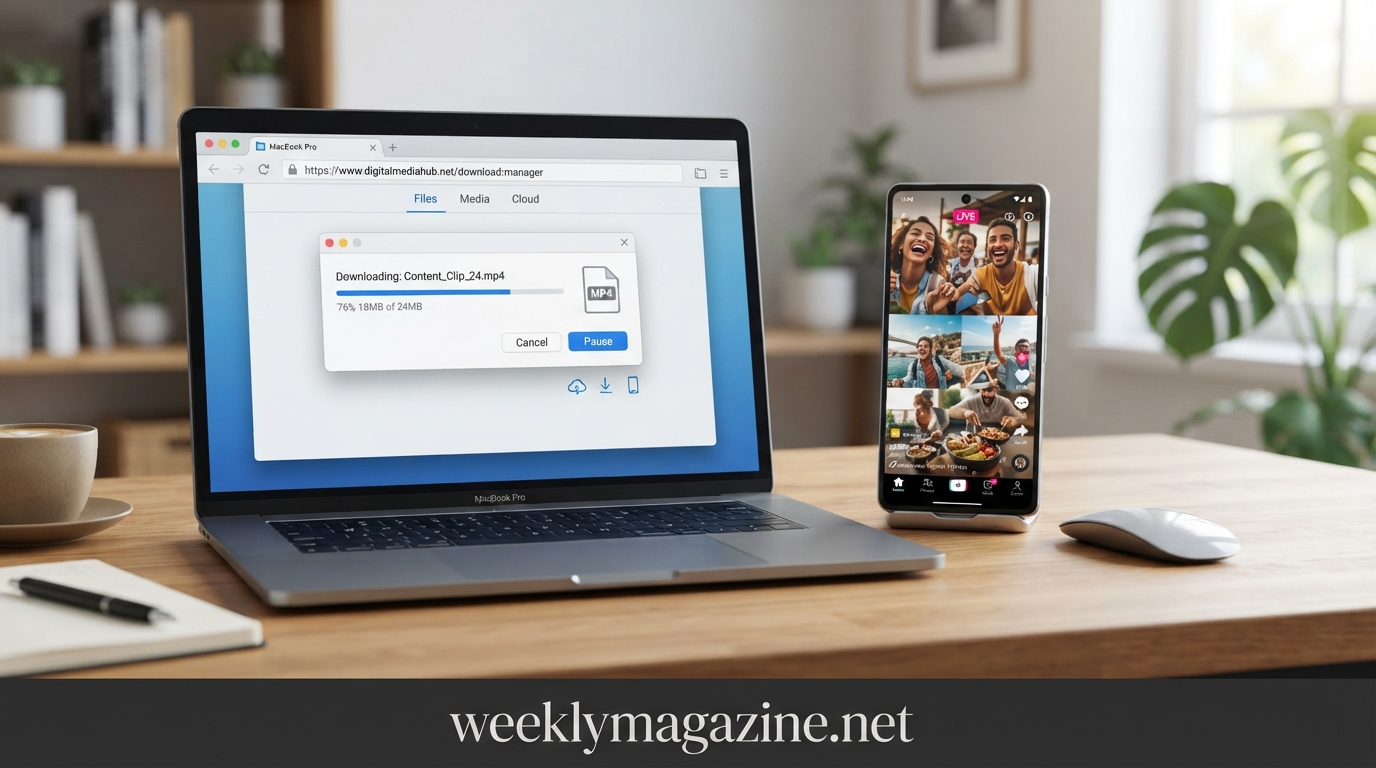
YouTube Shorts have become one of the easiest ways to discover quick tutorials, entertainment, recipes, product demonstrations, educational clips, and creative ideas. Because Shorts are designed for fast viewing, people often want to save a useful clip for later reference, offline viewing, editing their own content, or keeping a personal copy of something they have permission to use. That is where a youtube shorts downloader can be useful. However, downloading a Short is not simply about finding a button and saving a file. Users should understand the difference between official YouTube offline features, downloading their own content, and using third-party browser tools. YouTube states that creators can download videos they uploaded, while offline viewing is available for eligible videos through YouTube’s own features in supported locations and circumstances.
What Is a YouTube Shorts Downloader?
A YouTube Shorts downloader is a website, application, or other digital tool designed to help a user save a publicly available Short for offline use. Depending on the tool, the output may be an MP4 video file or another supported format.
The basic concept is simple. A user copies the URL of a Short, places it into a compatible downloader, selects an available quality or format, and saves the resulting file.
However, not every downloader works in the same way. Some tools operate entirely in a browser, while others require software or mobile applications. Some offer different resolutions, while others provide only one output quality.
Before using any downloader, it is worth considering three questions:
- Do you have the right to save or reuse the content?
- Does YouTube already provide an official way to access it offline?
- Is the downloader trustworthy and safe to use?
These questions can prevent many common problems.
Why Do People Download YouTube Shorts?
There are several legitimate reasons someone may want to save a Short.
A viewer may want to keep a personal copy of a tutorial for reference. A student may want to revisit educational material when internet access is unreliable. A creator may want to save their own published Shorts for backup purposes. An editor may need to work with content that they own or have permission to use.
Downloading can also be useful for organizing personal media. For example, someone researching video trends may want to keep authorized examples for internal reference.
The important distinction is between saving content for a legitimate purpose and downloading someone else’s copyrighted material for redistribution. YouTube explains that original videos are generally protected by copyright, and rights holders control how their work can be used.
How to Download a YouTube Short Online
The general process for a browser-based youtube shorts downloader is straightforward.
Step 1: Open the Short
Find the Short you want to save on YouTube. Make sure you are dealing with the correct video and not a misleading copy or re-upload.
Step 2: Copy the Video URL
Use YouTube’s Share option and copy the link. Depending on the device and YouTube interface, the link may use a Shorts URL or another YouTube video URL.
Step 3: Open a Reputable Downloader
If you have a legitimate reason to download the content, open a trusted browser-based tool. Avoid websites that require unnecessary permissions, browser extensions, unknown software, or suspicious downloads.
Step 4: Paste the URL
Place the copied YouTube link into the downloader’s input field. The service may then analyze the URL and display available output options.
Step 5: Choose the Quality
If multiple resolutions are available, choose one that suits your purpose. Higher resolution generally produces a clearer image but also creates a larger file.
Step 6: Save the File
Download the resulting file and check where your browser or device stores downloads.
This process can differ between services, so users should always follow the interface of the specific tool rather than assuming every downloader works identically.
YouTube Shorts Downloader on Mobile
Mobile users are one of the biggest audiences for Shorts, so compatibility with smartphones is important.
Android
On Android, browser-based download tools can generally be accessed through Chrome or another supported browser. After copying a Short’s URL, the user can open the downloader, paste the link, choose an available format, and save the file.
Storage permissions should be treated carefully. If a website asks to install an unfamiliar APK or application simply to download one video, it is safer to reconsider.
Android users should also check the Downloads folder or the device’s file manager after saving a file.
iPhone
iPhone users can access browser-based tools through Safari or another supported browser. Depending on the iOS version and browser behavior, downloaded files may appear in the Files app rather than directly inside the Photos library.
A user may need to move or save a compatible video file manually after downloading it.
For both Android and iPhone, the safest approach is to avoid downloading unknown applications simply because a website claims an app is required.
How to Download Your Own YouTube Shorts
If you are the creator of the Short, the situation is much simpler.
YouTube officially provides a way to download videos that you have uploaded. On supported devices, creators can use YouTube or YouTube Studio to locate their own content and select the download or save-to-device option. YouTube notes that uploaded videos may be downloaded as MP4 files in available resolutions, subject to certain restrictions.
This is usually preferable to using an outside downloader because you are working directly with your own content through YouTube’s ecosystem.
There can be limitations. For example, YouTube says downloads may be unavailable for videos affected by certain copyright or Community Guidelines restrictions, or videos using certain pre-approved audio tracks.
YouTube Premium and Offline Viewing
Downloading a video for offline viewing is not exactly the same as obtaining a permanent MP4 file.
YouTube Premium provides an official offline viewing feature in supported environments. Users can download eligible videos and watch them later through YouTube. On computers, YouTube says Premium users can download videos from supported browsers, while mobile users can use the YouTube application.
The important difference is that these downloads are managed within YouTube. They are intended for offline playback rather than giving users unrestricted ownership of a separate video file.
YouTube also notes that offline availability can require the device to reconnect periodically so the service can verify the content’s continued availability.
YouTube Shorts to MP4: What Does It Mean?
MP4 is one of the most common video container formats used for digital video. When a downloader offers YouTube Shorts to MP4, it generally means the tool attempts to provide the Short as a downloadable video file compatible with common devices and media players.
MP4 is convenient because it is widely supported by smartphones, computers, editing applications, and social platforms.
However, an MP4 file does not automatically mean the user has permission to republish the content. File format and copyright ownership are two completely different issues.
A downloaded video can technically be easy to edit while still being protected by the creator’s rights.
What Video Quality Should You Choose?
Quality selection depends on how the saved Short will be used.
| Purpose | Suggested approach |
|---|---|
| Quick personal reference | Standard quality may be enough |
| Watching on a phone | Medium or HD quality |
| Editing authorized content | Highest useful source quality |
| Archiving your own work | Keep the best available original |
| Sharing with permission | Use the quality requested by the recipient |
Higher resolution is not always better if storage space is limited. A 1080p file may require significantly more storage than a lower-resolution version.
For editing, however, keeping the highest available authorized source can provide more flexibility.
How to Check Whether a Downloader Is Safe
Not every website offering a free downloader deserves your trust.
A suspicious downloader may use misleading buttons, excessive pop-ups, fake download notifications, aggressive redirects, or requests for unnecessary permissions.
Before using a service, look for basic signs of credibility:
- The site uses HTTPS.
- It does not require unnecessary account credentials.
- It does not ask for your YouTube password.
- It clearly explains what it does.
- It does not force unrelated browser extensions.
- Download buttons are clearly labeled.
- It does not ask you to install unknown software.
- Its privacy practices are reasonably understandable.
Never enter your Google or YouTube password into a third-party downloader.
Common Problems When Downloading Shorts
A downloader may fail for several reasons.
The URL may be incorrect. The video may be private or unavailable. The website may not support a particular URL format. The service itself may be temporarily unavailable.
Another issue is video quality. Some downloaders advertise a high resolution that may not actually be available from the original upload.
There can also be problems with audio and video synchronization, especially when a tool processes the source incorrectly.
If a downloader repeatedly fails, users should avoid installing random software as a workaround. It is usually better to check whether the video can be accessed through YouTube’s official options.
Can You Download Shorts Without a Watermark?
Some third-party services advertise watermark-free downloads. However, removing visible branding from a video does not remove the creator’s copyright or give the downloader permission to reuse the material.
If you are downloading your own Short, retaining a clean original copy is preferable. If you are using someone else’s content, permission and licensing matter more than whether a watermark is visible.
A clean file should never be interpreted as public-domain content.
Copyright and Permission Matter
This is one of the most important parts of using any youtube shorts downloader.
YouTube explains that creators generally own the copyright in original creative works they upload. It also identifies legitimate ways to use copyrighted material, including permission from the copyright owner, Creative Commons licensing where applicable, public-domain material, and certain copyright exceptions such as fair use or fair dealing depending on the jurisdiction.
Copyright rules vary by country, and an exception that applies in one situation may not apply in another.
If you plan to repost, monetize, advertise with, remix, or commercially distribute a downloaded Short, check the creator’s permission or applicable license first.
Downloader vs. YouTube’s Official Save Options
The choice depends on what the user actually needs.
| Method | Main purpose | Separate video file? |
| YouTube offline feature | Offline viewing | Generally no |
| YouTube Premium downloads | Offline playback | Managed inside YouTube |
| YouTube Studio download | Retrieve your own content | Yes, where available |
| Third-party downloader | Save accessible video file | Often yes |
| Screen recording | Personal capture | Creates a local recording |
Official YouTube options are generally the safest starting point when they meet the user’s needs.
Is Screen Recording a Better Alternative?
Sometimes users turn to screen recording when they cannot access a downloadable file.
Screen recording can create a local copy of what is displayed on a device, but it does not solve copyright concerns. Recording another person’s Short does not automatically give you permission to distribute it.
It may also produce lower quality than the original source and can capture interface elements, notifications, or other unwanted content.
For your own videos, downloading the original through YouTube Studio is normally preferable.
How Creators Can Use Downloaded Shorts Responsibly
Creators often download Shorts because they want to edit or repurpose their own content.
For example, a creator might create a vertical video on YouTube and later want to archive it, edit it for another platform, or use the original footage in a compilation.
Keeping original project files is better than relying only on downloaded copies. The original editing file generally provides more control over resolution, audio, captions, and transitions.
If a creator is working with another person’s footage, written permission or an appropriate license should be retained with the project records.
Can Downloaded Shorts Be Used for Commercial Purposes?
Not automatically.
Commercial use requires more careful consideration because advertising, monetization, sponsored content, and business promotion can introduce additional rights issues.
Even if a video is publicly available, that does not mean it is free for commercial reuse.
Music can introduce another layer of rights. A Short may contain licensed music that the original creator was allowed to use on YouTube but that another person cannot legally reuse in a separate commercial video.
This is one reason creators should verify both video and audio rights.
Why Some Downloader Websites Stop Working
Third-party tools can become unreliable because websites change their systems, URLs, interfaces, technical protections, or access policies.
A downloader that worked last year may stop working without warning.
This is another reason not to build an important content workflow entirely around one third-party service.
For creators, keeping original files and maintaining legitimate backups is much more reliable.
Best Practices for Saving YouTube Shorts
A simple checklist can make the process safer:
- Use official YouTube options whenever they meet your needs.
- Download only content you are permitted to save or reuse.
- Never give a third-party site your Google password.
- Avoid unknown applications and browser extensions.
- Scan unexpected files before opening them.
- Keep your own original videos backed up.
- Check the resolution before editing.
- Respect creator rights and music licenses.
- Do not assume a public video is free to republish.
- Use downloaded files according to applicable laws and permissions.
Frequently Asked Questions
What is the best YouTube Shorts downloader?
The best option depends on your purpose. For your own videos, YouTube’s official download tools are preferable. For offline viewing of eligible content, YouTube’s built-in download feature can be more appropriate than obtaining a separate file.
Can I download YouTube Shorts to MP4?
Some third-party tools can provide Shorts as MP4 files. Whether you should download a particular video depends on your rights to use the content.
Can I download my own YouTube Shorts?
Yes. YouTube provides creators with options to download videos they have uploaded, subject to certain restrictions.
Can I download Shorts on an iPhone?
You can use YouTube’s supported offline features on iPhone, and browser-based tools may also work for files you are authorized to download. Where the file is stored depends on the method and device settings.
Can I download Shorts on Android?
Yes, depending on the method. YouTube supports offline viewing in eligible circumstances, and creators can download their own uploaded videos through YouTube or YouTube Studio.
Is downloading someone else’s Short legal?
It depends on the purpose, permission, license, and applicable law. Public availability does not automatically eliminate copyright protection. YouTube explains that creators generally own copyright in their original works.
Can I repost a downloaded YouTube Short?
Not simply because you downloaded it. Reposting may require permission or a suitable copyright exception or license.
Do I need YouTube Premium to download every Short?
No single rule applies everywhere. YouTube allows users to download their own uploaded videos, while offline downloading of eligible content depends on location, video availability, and account or Premium status.
Final Thoughts
A youtube shorts downloader can be useful when someone needs to save authorized video content for offline reference, editing, backup, or other legitimate purposes. But downloading technology and content rights should always be considered together.
For your own Shorts, YouTube’s creator download options are the most straightforward starting point. For offline viewing, YouTube’s own download feature can provide a safer alternative to third-party tools. When a separate video file is genuinely needed, users should choose trustworthy software or browser services and remain careful about permissions, copyright, privacy, and security.
The smartest approach is not simply finding the fastest downloader. It is choosing a method that fits the purpose while respecting the person who created the content. Get more info weeklymagazine.net .